On this page
Permanent redaction uses the online processor. Confirm the file transfer and the rebuild warning. Preserve an original in a location appropriate for the source material.
Practice with the sample files
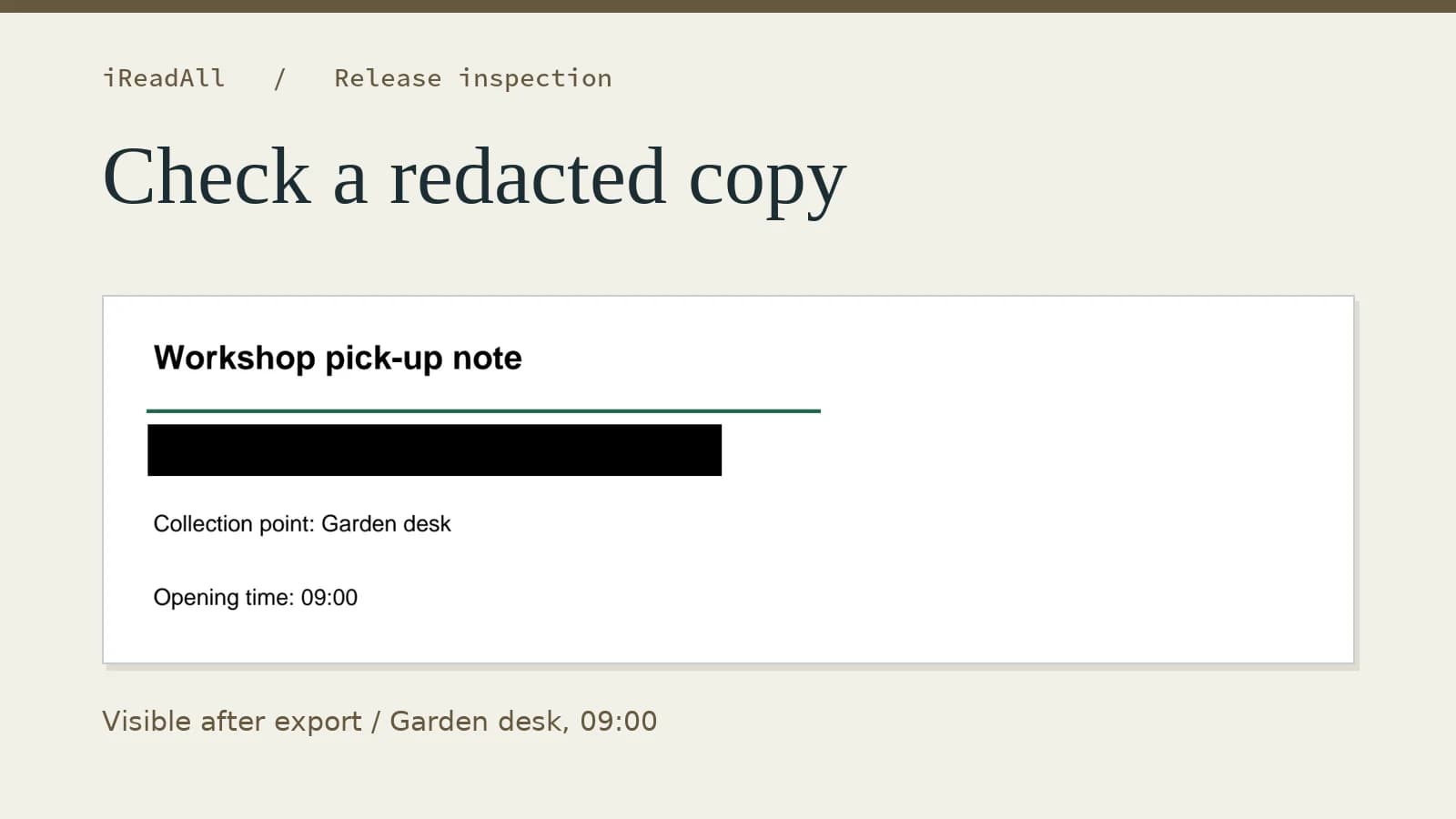
DEMO-4817 is a fictional locker reference. The sample also contains a public collection point and opening time that should remain visible.
Identify the complete value on the original
Open pickup-note.pdf and search for DEMO-4817. The reference is on page 1 above the collection point. Read the entire line, including its label, before marking the region. Decide which nearby details the recipient still needs to read.
Mark a removal region
Open Redact PDF with a copy of the original. Add a region on physical page 1 that covers the whole locker-reference line. Leave the collection point and opening time outside it. Review the rectangle against the page image, including the final digit and the edges of the text.
Generate a separate release copy
Review the rebuild warning, estimate and upload confirmation, then create and download the result. This workflow renders the retained page appearance into a new PDF. The rebuilt file loses its former selectable text and interactive features, so check the recipient’s accessibility and form requirements.
Test pixels and text separately
Open the downloaded copy in another viewer. Zoom in around all four edges of the black region. Garden desk and 09:00 should still be visible. Search for the locker reference and try selecting text from the removed line. In this example a separate text extractor also found no body text. An empty search alone says little about any letters still visible in the image.
- 01Removed
DEMO-4817
- 02Still legible
Garden desk and 09:00
- 03Original text layer
Empty in this rebuilt copy
Review the remaining sharing surfaces
Check bookmarks, embedded files, metadata and every other page for repeated details. Inspect the final attachment you intend to send. A rectangle drawn by a markup tool can leave text underneath it. Keep the working original separately from the reviewed release copy.
Check the result
- The locker reference is readable in the original
- No part of the reference is visible in the rebuilt image
- The release copy yields no original selectable text
- The collection point and time remain readable
Read about PDF data handling and processing allowances. Find other workflows in PDF Tools.
Samples & worksheets
DEMO-4817 is a fictional locker reference. The sample also contains a public collection point and opening time that should remain visible.
DEMO-4817 is a fictional locker reference. The sample also contains a public collection point and opening time that should remain visible.
DEMO-4817 is a fictional locker reference. The sample also contains a public collection point and opening time that should remain visible.
Questions & answers
How can I check that PDF redaction actually removed a reference?+
Inspect the downloaded page image, search and extract the text, then review other possible copies in the document and its attachments.
What happens to editable fields in a rebuilt redacted PDF?+
Page reconstruction retains the allowed visible appearance and removes original interactivity. Test the downloaded copy against the recipient’s needs.
How this guide was researched
DEMO-4817 is a fictional locker reference. The sample also contains a public collection point and opening time that should remain visible. Permanent redaction uses the online processor. Confirm the file transfer and the rebuild warning. Preserve an original in a location appropriate for the source material.
Evidence checked Nov 26, 2026. Product features can change; dated observations describe the version examined.
Published by iReadAll. AI tools assist research and editing; the team is responsible for verification. Read our editorial policy.
Sources & references
- iReadAll Redact PDF inputs and processing limitsiReadAll · Checked 2026-11-26
- PDF data handling and retentioniReadAll · Checked 2026-11-26
- PDF processing allowancesiReadAll · Checked 2026-11-26
Cite this guide
iReadAll Product & Editorial Team. “How to Redact Personal Information From a PDF and Verify the Copy.” iReadAll, Nov 26, 2026. https://ireadall.ai/blog/redact-personal-information-from-a-pdf