On this page
Comparison sends both selected PDFs to the online processor after sign-in, estimate and confirmation. The report includes source text and page previews.
Practice with the sample files
The two fictional Q-14 estimates use identical text on unchanged pages. The revision inserts a delivery note and changes one amount.
Establish the earlier and later file
Open the original estimate and note its three headings. Open the revised file and check that it has four pages. The extra page means physical page 3 in the old file can no longer be compared blindly with physical page 3 in the new one.
Run the comparison in the intended order
Open Compare PDF, select the original first and the revised copy second, review the estimated processing scope and confirm. Keep the two filenames visible while reading the result. Reversing them exchanges the meaning of an insertion and a deletion.
Use an unchanged page as an anchor
The fittings schedule on original page 2 appears on revised page 3. Its text stays the same. The delivery note on revised page 2 has no counterpart in the original. Find the aligned page numbers in the report and reopen the schedule on both sides.
A delivery note was inserted.
Unchanged fittings schedule.
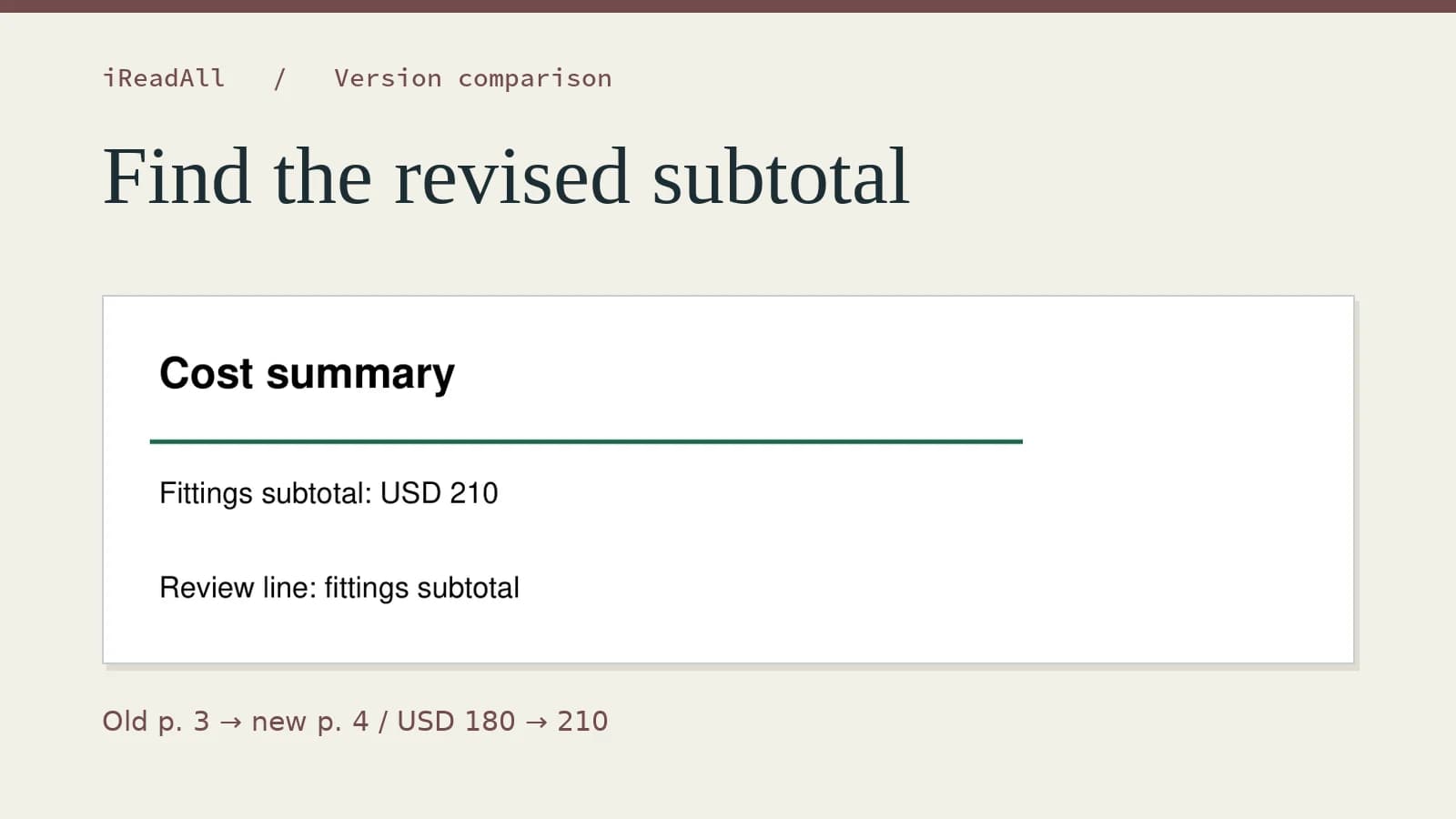
Fittings subtotal changed from USD 180 to USD 210.
Verify the amount on each original page
Open original page 3 and revised page 4. The fittings subtotal changes from USD 180 to USD 210. Read the text difference and compare the visual previews, then inspect the two source pages at a comfortable zoom. Each number needs its own document and physical page reference.
Resolve uncertain differences before sharing
Scans without extractable text, repeated headings and changed footers make automatic alignment harder. Inspect any flagged pages manually, especially when a small mark affects a figure. If the report contains private text or images, handle the exported report with the same care as its inputs.
Check the result
- The revised delivery note is an insertion on page 2
- The unchanged schedule moves from page 2 to page 3
- The 180 and 210 amounts belong to original page 3 and revised page 4
Read about PDF data handling and processing allowances. Find other workflows in PDF Tools.
Samples & worksheets
The two fictional Q-14 estimates use identical text on unchanged pages. The revision inserts a delivery note and changes one amount.
The two fictional Q-14 estimates use identical text on unchanged pages. The revision inserts a delivery note and changes one amount.
The two fictional Q-14 estimates use identical text on unchanged pages. The revision inserts a delivery note and changes one amount.
Questions & answers
How can I compare two PDFs after a page was inserted?+
Use the aligned source-page numbers and open unchanged pages on both sides before reviewing changed passages.
How do I distinguish a moved page from a changed amount?+
Check the page correspondence, read the text changes and confirm each figure in its original file.
How this guide was researched
The two fictional Q-14 estimates use identical text on unchanged pages. The revision inserts a delivery note and changes one amount. Comparison sends both selected PDFs to the online processor after sign-in, estimate and confirmation. The report includes source text and page previews.
Evidence checked Nov 26, 2026. Product features can change; dated observations describe the version examined.
Published by iReadAll. AI tools assist research and editing; the team is responsible for verification. Read our editorial policy.
Sources & references
- iReadAll Compare PDFs inputs and processing limitsiReadAll · Checked 2026-11-26
- PDF data handling and retentioniReadAll · Checked 2026-11-26
- PDF processing allowancesiReadAll · Checked 2026-11-26
Cite this guide
iReadAll Product & Editorial Team. “How to Compare Two PDF Versions After Pages Have Moved.” iReadAll, Nov 26, 2026. https://ireadall.ai/blog/compare-two-pdf-versions