On this page
CSV mapping and batch filling run on your device. Keep the template, CSV and ZIP in a location appropriate for the information they contain.
Practice with the sample files
The workshop template contains a required text field named Respondent. All three names and the workshop reference are invented.
Inspect the template before importing records
Open Fill & Sign with the blank workshop form. Look for the editable Respondent field below Participant name. A form that only looks like it has a box may need an actual field added before a column can be mapped. Keep the blank template as a reusable source.
Map the name column
Expand Import or export form values and choose participants.csv. Map the name column to Respondent. Leave the row column set to Skip column. Preview the first row and compare Aya Bell with the first CSV record before applying a row to the draft or starting a batch.
Generate one independent copy per row
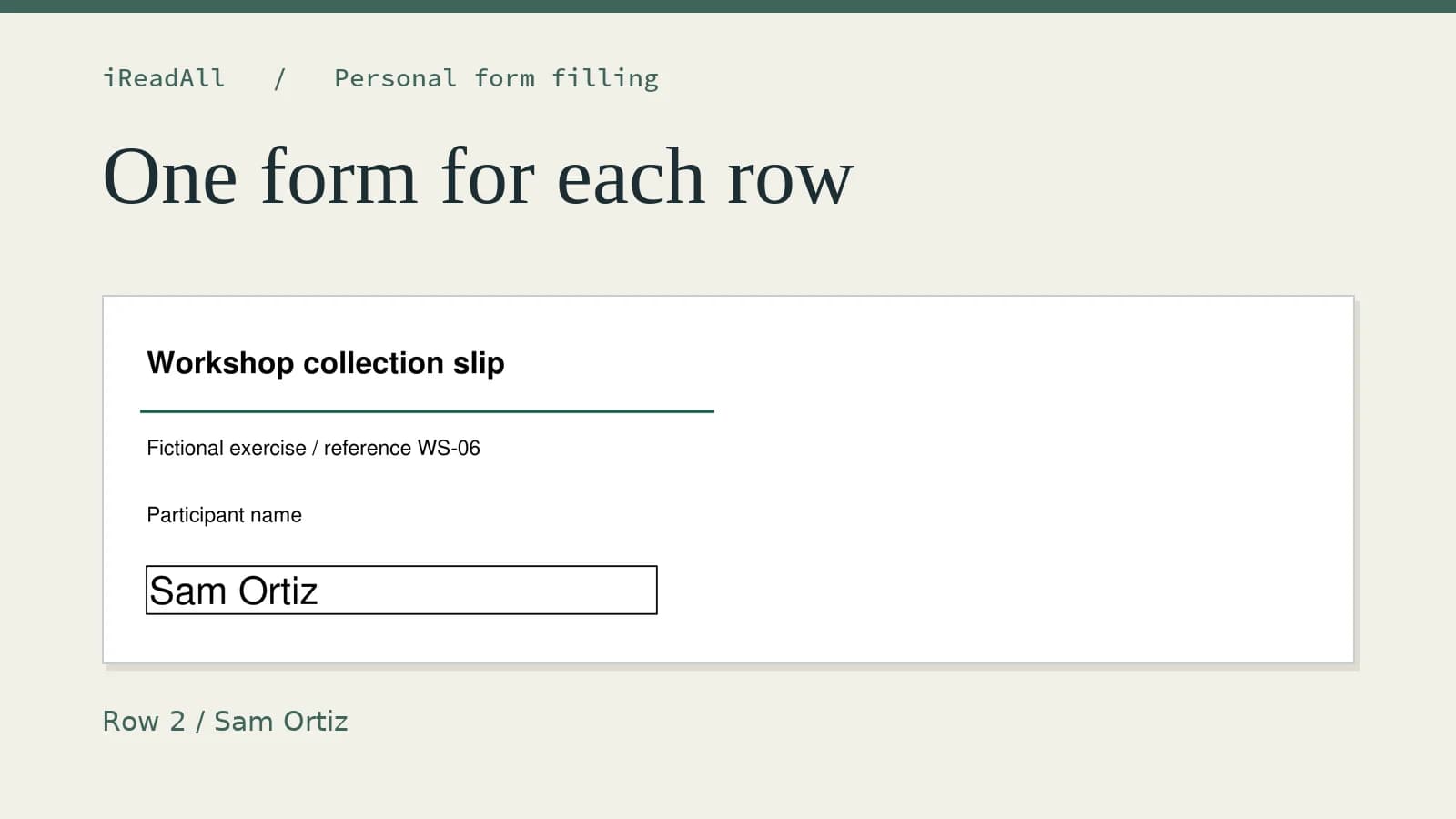
Choose Generate 3 private row PDFs. Download the ZIP and extract it. Each item starts with the same blank source. The numbered output files follow the row order. Find Sam Ortiz in the second PDF and Robin Chen in the third.
Read the processing report
Open processing-report.json alongside the PDFs. Check the recorded row and file association before sending anything to a recipient. Read the visible names and inspect the saved field values in a viewer with form support. A correct number of output files alone cannot catch a swapped name.
- 01Row 1
Aya Bell
- 02Row 2
Sam Ortiz
- 03Row 3
Robin Chen
Try a missing required value
Open participants-missing.csv and inspect row 2. Its name is blank while its row identifier is present. Map the columns again, run the batch and inspect the error for that record. Correct the source CSV and rerun from the clean template. Check the corrected row before distributing any output.
Check the result
- The name column maps to Respondent
- The three PDFs contain Aya Bell, Sam Ortiz and Robin Chen in order
- The missing-name fixture identifies the affected record
Read about PDF data handling and processing allowances. Find other workflows in PDF Tools.
Samples & worksheets
The workshop template contains a required text field named Respondent. All three names and the workshop reference are invented.
The workshop template contains a required text field named Respondent. All three names and the workshop reference are invented.
The workshop template contains a required text field named Respondent. All three names and the workshop reference are invented.
The workshop template contains a required text field named Respondent. All three names and the workshop reference are invented.
Questions & answers
How do I create a separate filled PDF for each CSV row?+
Map the CSV columns to actual fields in a blank PDF, preview a row and generate the batch. The downloaded ZIP contains independent PDFs and a row report.
Why is one recipient missing from a batch of forms?+
Check the processing report, required fields and column mapping for that row, then correct the source and verify the rerun.
How this guide was researched
The workshop template contains a required text field named Respondent. All three names and the workshop reference are invented. CSV mapping and batch filling run on your device. Keep the template, CSV and ZIP in a location appropriate for the information they contain.
Evidence checked Nov 26, 2026. Product features can change; dated observations describe the version examined.
Published by iReadAll. AI tools assist research and editing; the team is responsible for verification. Read our editorial policy.
Sources & references
- iReadAll Fill & sign inputs and processing limitsiReadAll · Checked 2026-11-26
- PDF data handling and retentioniReadAll · Checked 2026-11-26
- PDF processing allowancesiReadAll · Checked 2026-11-26
Cite this guide
iReadAll Product & Editorial Team. “How to Batch Fill PDF Forms From a CSV.” iReadAll, Nov 26, 2026. https://ireadall.ai/blog/batch-fill-pdf-forms-from-csv